-
Log into the Paylocity Mobile Application
-
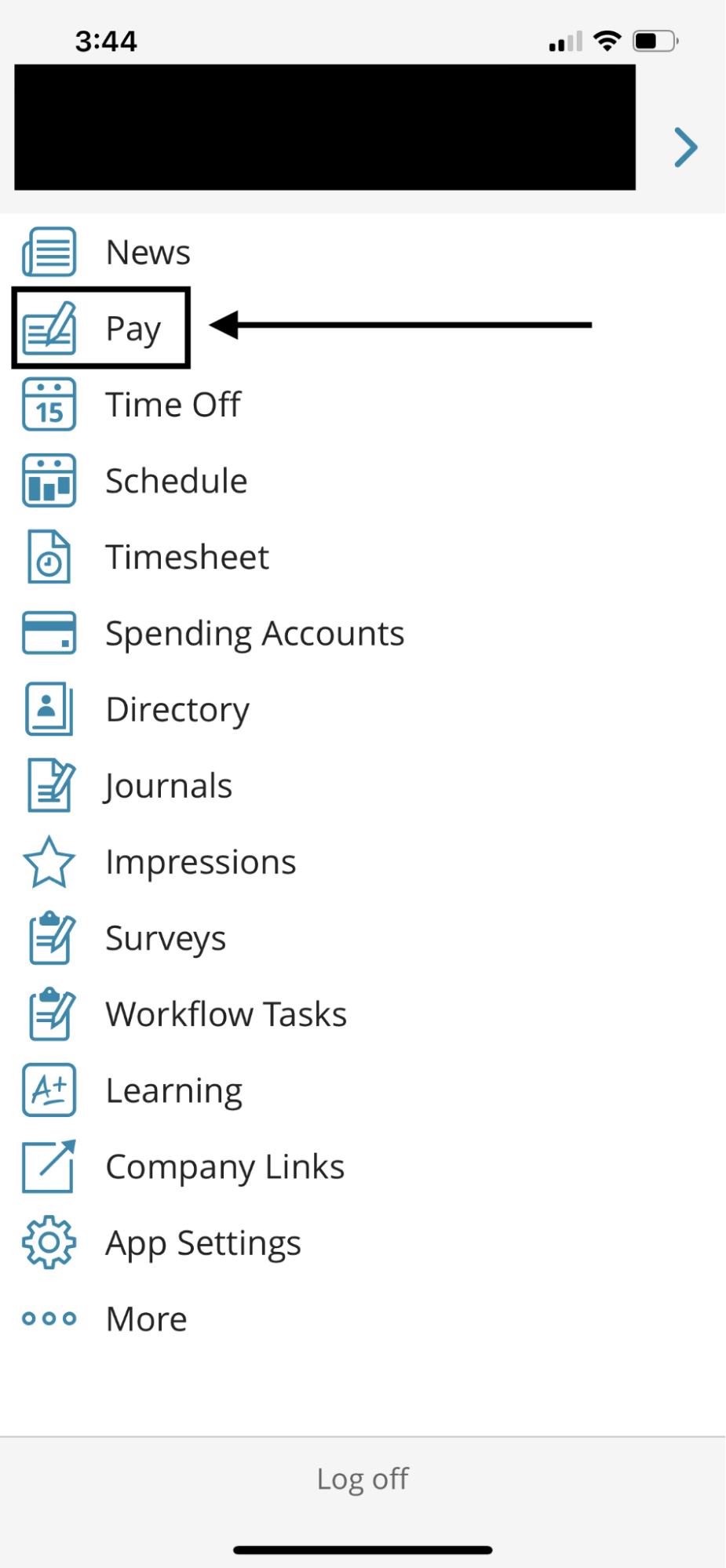
Tap Pay from the main menu
-
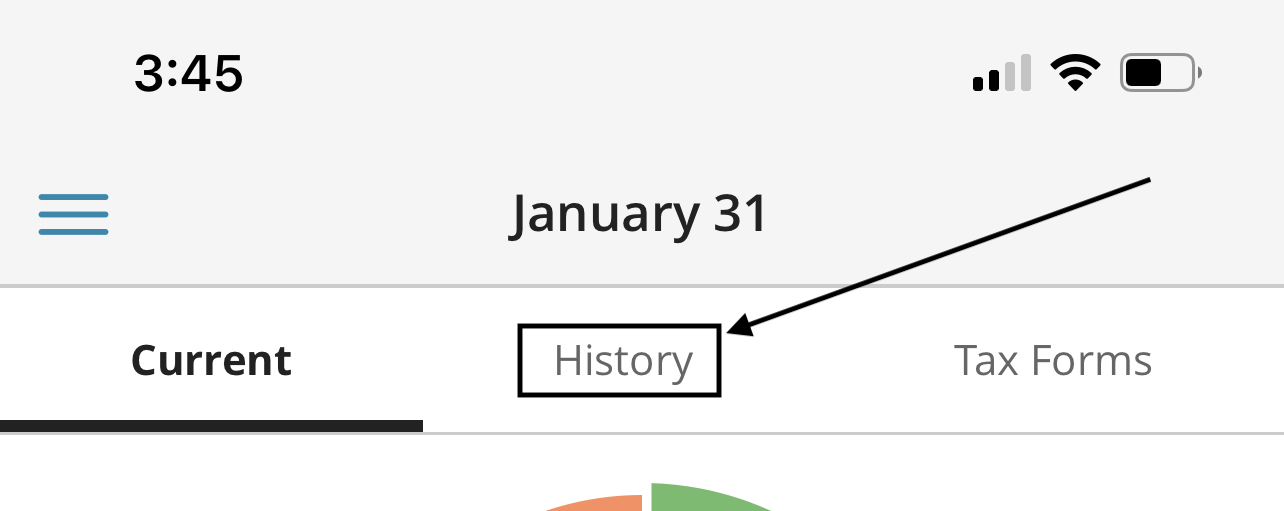
Select History
-
Select the Year for the Paycheck Stub
Note: A paycheck stubs for that selected year will be listed below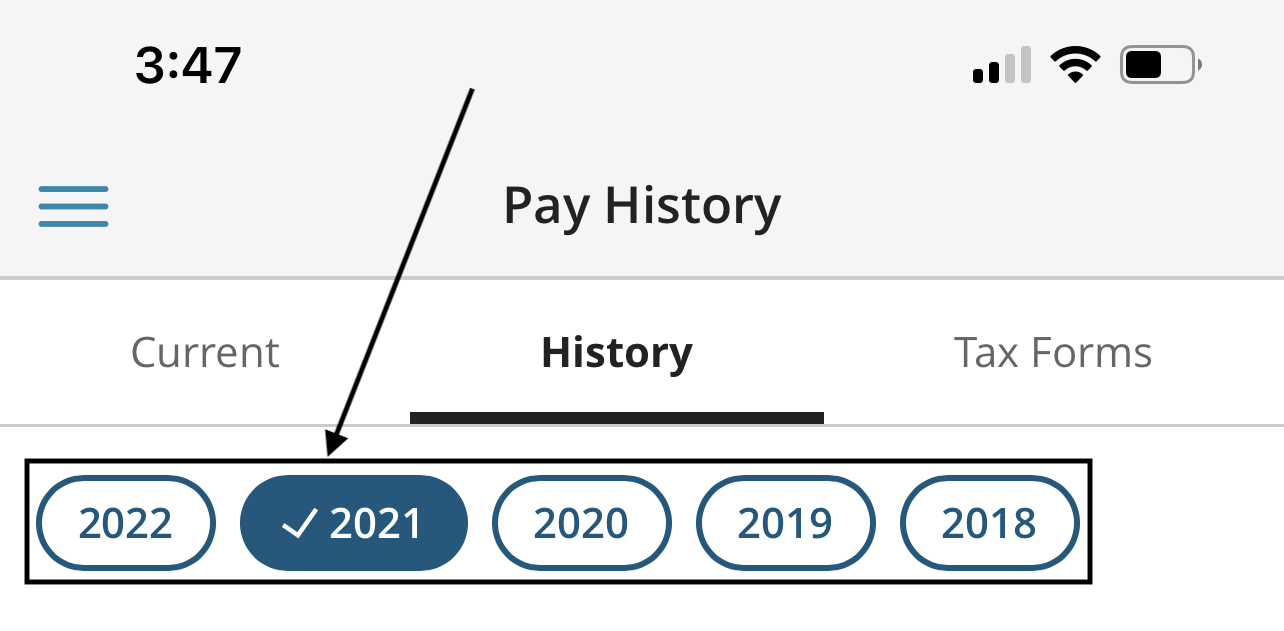
-
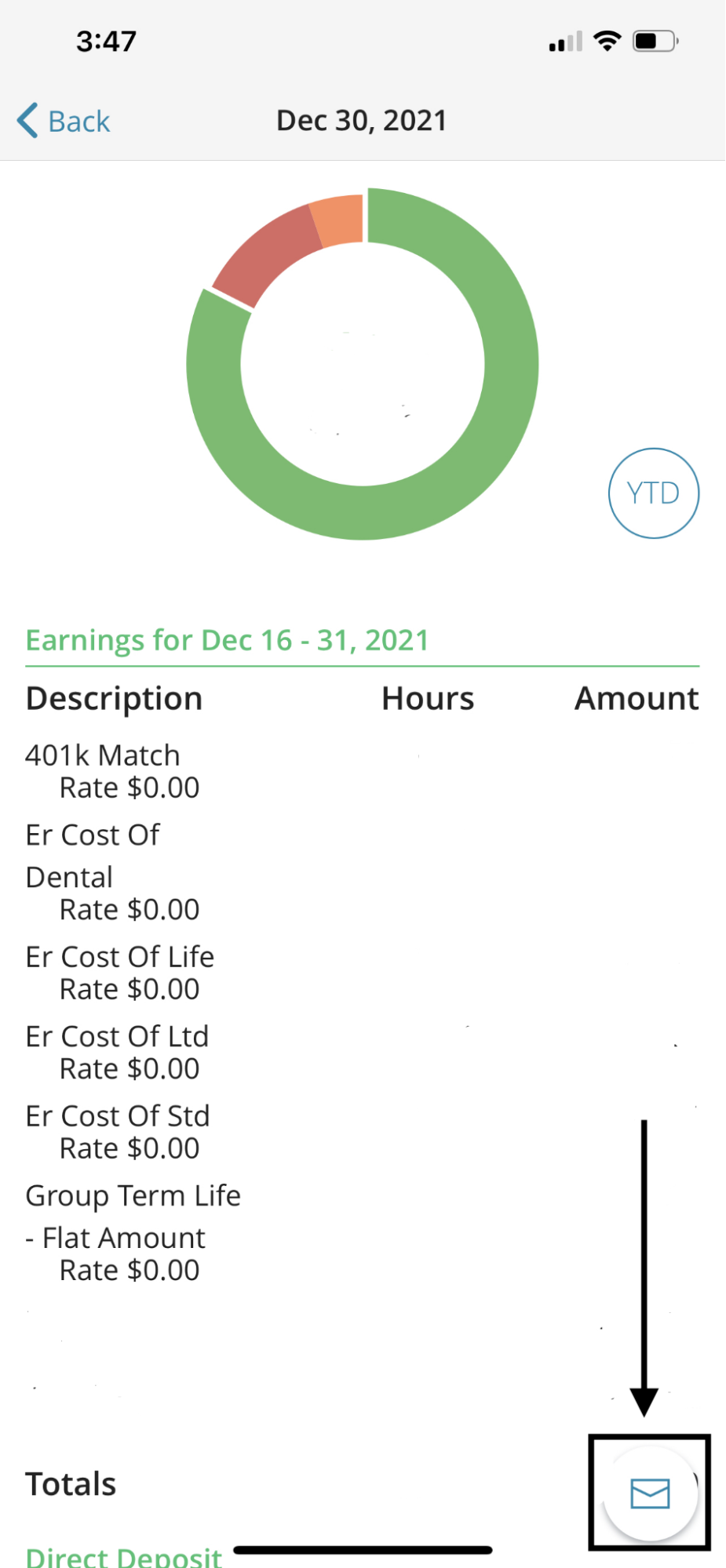
Select the paycheck then the Email Icon below
-
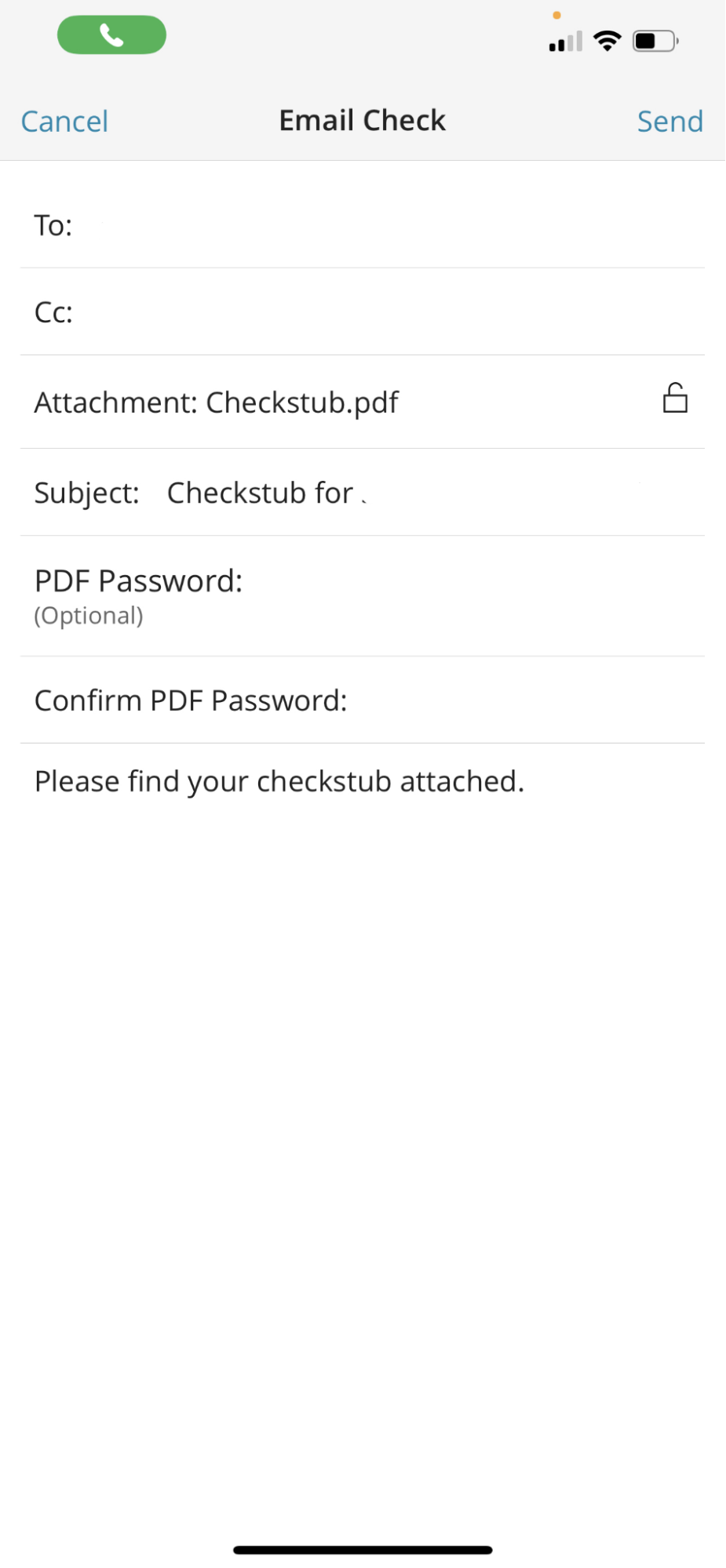
Enter the email information:
-
-
To: Recipient email address
-
Cc: Additional recipients if necessary.
-
Subject: Will have the Check Stub information by default.
-
PDF Password: This is an optional security measure that the recipient will enter to view the Check Stub.
-
Confirm PDF Password: This will apply when using the PDF Password.
-
Message body.
-